The new software allows you to upload a picture or other attachment from your computer. At the bottom of the "Post a New Topic" page or "Post a Reply" page, click the "Upload Attachment" tab at the bottom. You can also attach a picture by following the directions below (from the previous software version):
Old method, still works with this software but is more work:
To post a picture in your message it must be accessible by a web link.
After hitting the new topic or post reply buttons you will be taken to a page to compose your message. To insert an image, click the "Img" button across the top once, type the web address of the picture (or cut and paste the link), then click the "Img" button again.
Scroll down and click "submit".
Posting images
Posting images
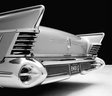
1958 Buick Limited Riviera Coupe Model 755
Other cars:
1953 Chevrolet 3100 Pickup
1957 Pontiac Transcontinental Safari
1968 Ford Galaxie 500 HT
1977 Lincoln Continental Convertible
Other cars:
1953 Chevrolet 3100 Pickup
1957 Pontiac Transcontinental Safari
1968 Ford Galaxie 500 HT
1977 Lincoln Continental Convertible